Article
A minimal toolkit for a writing desk
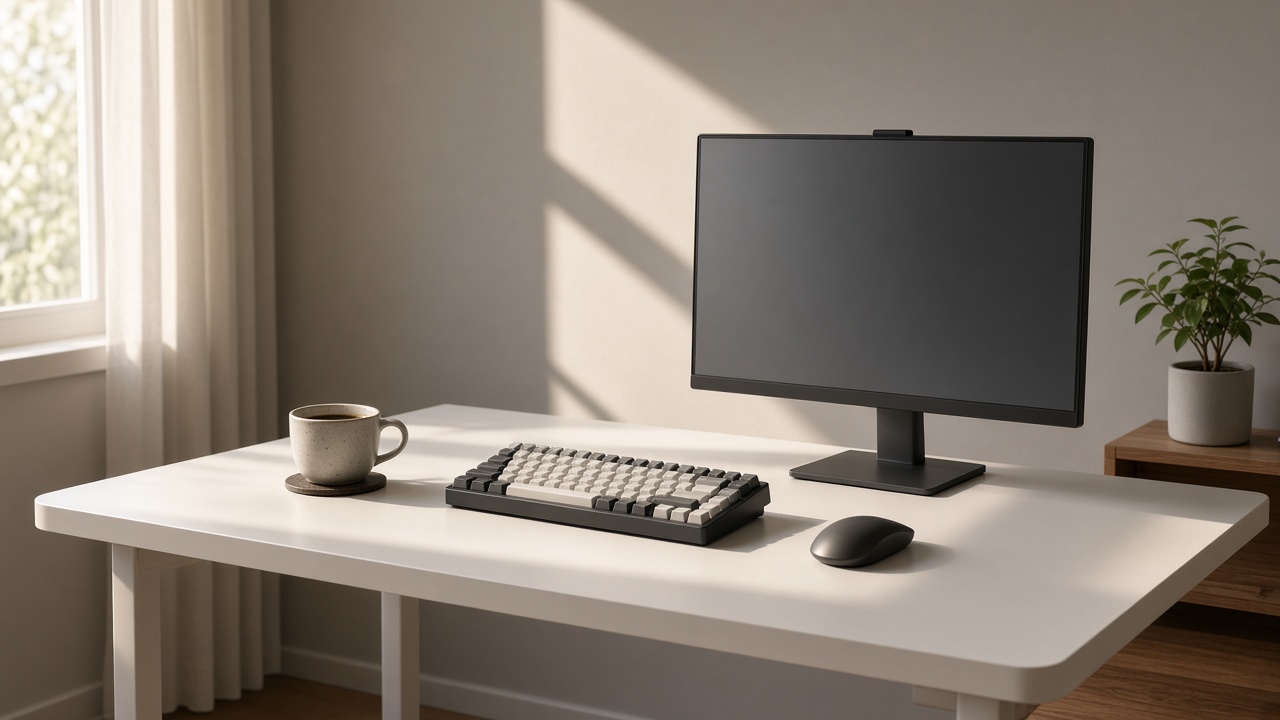
Writers collect tools the way hikers collect snacks. Each one feels essential until the pack is too heavy to move. A minimal writing desk is not an aesthetic stunt. It is a constraint that keeps drafts moving through fewer decisions, fewer tabs, and fewer objects competing with the sentence in front of you.
This guide defines a small toolkit for long-form writing, documentation, and thoughtful email that still needs craft. It is practical setup guidance, not medical advice and not a purity contest.
At a glance
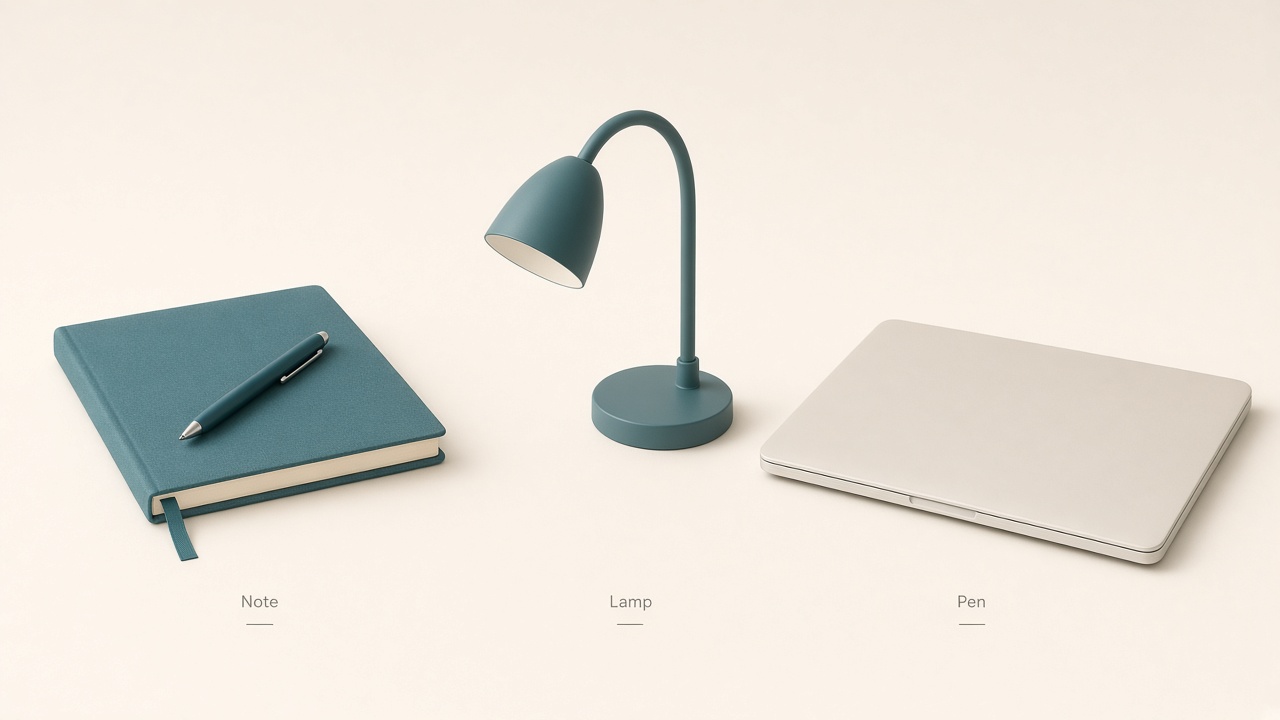
Notebook, pen, lamp—and a closed laptop when drafting.
The job of a writing desk
Your station should make three things easy. Capture a thought before it vanishes. Draft without constant context switching. Revise with reference material available but not loud.
Everything else is optional until it proves weekly useful. A tool that looks productive in a photo still counts as clutter if it does not serve one of those three jobs during real writing blocks.
The core five
1) One primary drafting surface
Pick a single home for drafts: a docs app, a local markdown folder, or your CMS. Splitting active drafts across three apps guarantees lost versions and fake progress.
Start every new piece in the primary surface the same day. Export formats come later. Research notes can live elsewhere; the draft itself does not wander.
2) One capture pad
Use a paper notebook or a single inbox note for scraps, quotes, and sudden structure ideas. The capture pad is a parking lot, not a second draft.
Empty it at the end of each writing block into the outline or the trash. Capture systems die when they become museums.
3) Keyboard you can type on for an hour
If you write on a laptop, an external keyboard at desk height usually beats a low laptop deck for long sessions. Comfort here is about consistency, not brand mythology.
Keep the pointing device secondary. Writing rewards staying on keys through a paragraph rather than hopping to the mouse after every sentence.
4) Readable screen geometry
One good screen at a sensible height beats dual monitors filled with distractions. If you use a second display, assign it a quiet role such as outline, style guide, or source PDF rather than chat.
Raise the screen and keep the keyboard low. That single geometry habit prevents a lot of restless shifting mid-paragraph.
5) Timer and mute switch
Use a simple timer, hardware or software, and a known mute path for chat and phone. Deep writing fails socially more often than intellectually.
A status line that works is specific: “Drafting until :50—async OK.” Vague “focus” status invites negotiation.
Useful optional tools that must earn their keep
Add these only after two weeks of steady drafting. A reference stand or tablet sidecar can hold a single source document. A task light can make paper notes readable without washing out the screen. Noise control through headphones or soft room treatments can help if the environment is sharp. A separate outliner can help if your pieces are long and structural.
If an optional tool sits unused for a week, remove it from the desk surface. Storage is allowed. Visual presence is a tax.
What to remove
Be ruthless with common writing-desk invaders. Decorative stacks of unread books in the keyboard zone compete with the draft. Three pens that all skip create false choice. Sticky-note colonies with no weekly review become wallpaper guilt. Notification badges on the drafting machine tax attention even when you do not click them. Research browser windows that are actually social feeds pretend to be work.
Minimal does not mean empty. It means every visible object has a job this week.
A default writing-block layout
Try this for five sessions before customizing. Place the capture pad left of the keyboard or just above easy reach. Put water on the non-mouse side. Keep the phone face down outside arm’s reach or in another room. Open only the drafting app, outline, and one source on screen. Run a timer for forty-five to fifty-five minutes.
Revision blocks can widen the toolset with comments, a thesaurus, or a style checker. Drafting blocks should stay narrow so the sentence remains the path of least resistance.
Software minimalism without dogma
You do not need a plain-text monastery. You need one drafting path and fewer plugins that nag.
Disable grammar popups while drafting and run checks in a revision pass. Keep a style snippet file instead of browsing for voice tips mid-sentence. Use full-screen or zen mode if your editor has it, then actually write. Tools should disappear under attention, not audition for it.
Weekly reset for writers
Every Friday, spend ten minutes restoring the toolkit. Archive finished drafts. Move stale scraps out of the capture pad. Clear the desk surface back to the core five. Note the next piece’s first sentence or ugly outline.
A minimal desk rots into clutter the same way any desk does: slowly, then all at once. The weekly reset is how the constraint survives busy months.
Starting a new piece with the toolkit
When you open a new draft, do not redecorate. Run a sixty-second start. Place a title and an ugly one-paragraph intent in the primary surface. Write three structure bullets on the capture pad. Park one source link or PDF in the reference role. Start the timer and mute chat.
If you cannot start without browsing for the perfect playlist, template, or font, the toolkit is already too wide. Cut until the first sentence is the easiest next action.
Edge cases
Technical writers may need a second window for the product UI. Keep it role-bound. Do not also leave chat there.
Researchers may need PDF libraries. Keep the library off the drafting desktop until citation time.
Shared desks need a bin for non-writing objects that arrive during the day. End the block by reclaiming the writing rectangle so the next session does not inherit someone else’s mail pile.
Checklist
- One primary drafting surface chosen
- One capture pad with an empty-at-end-of-block habit
- Keyboard and screen height set for long typing
- Timer and mute or status path ready
- Second screen, if any, assigned a quiet role
- Non-working objects cleared from the keyboard zone
- Drafting versus revision tool rules defined
- Weekly ten-minute writer reset scheduled
FAQ
Is paper necessary?
No. A single digital capture inbox works if you review it. Paper helps some people because it cannot ping you.
Should I write offline?
If the internet is your main derailment, yes—at least for the first draft pass. Research can be batched before or after.
What about dual monitors for writing?
Useful when one screen holds sources and the other holds prose. Harmful when both hold reactive apps. Roles matter more than panel count.
Can I keep a coffee setup on the desk?
Keep liquids where a spill cannot kill the keyboard. Comfort drinks are fine. A cafe shrine in the typing zone is not.
How minimal is too minimal?
If setup friction makes you avoid writing, you over-subtracted. Add back only the one tool that removes friction, not the five that look productive.
Next reading
- Focus music vs silence for deep work
- Second monitor vs ultrawide for writing work
- Document naming rules for a home office
Protect the sentence. Everything on the desk should either serve it or leave.