Article
Second monitor vs ultrawide for writing work

Writers and documentation folks often assume more screen automatically means better output. Sometimes it does. Sometimes it creates a wider stage for distraction and a neck that spends the day swiveling between research tabs and a draft. Choosing between a second monitor and a single ultrawide is less about brand loyalty and more about how you hold attention while sentences form.
This comparison focuses on long-form writing, editing, and technical docs rather than day trading or video timelines. The right answer depends on reference habits, desk width, and whether your draft needs a stable home window that never moves.
At a glance
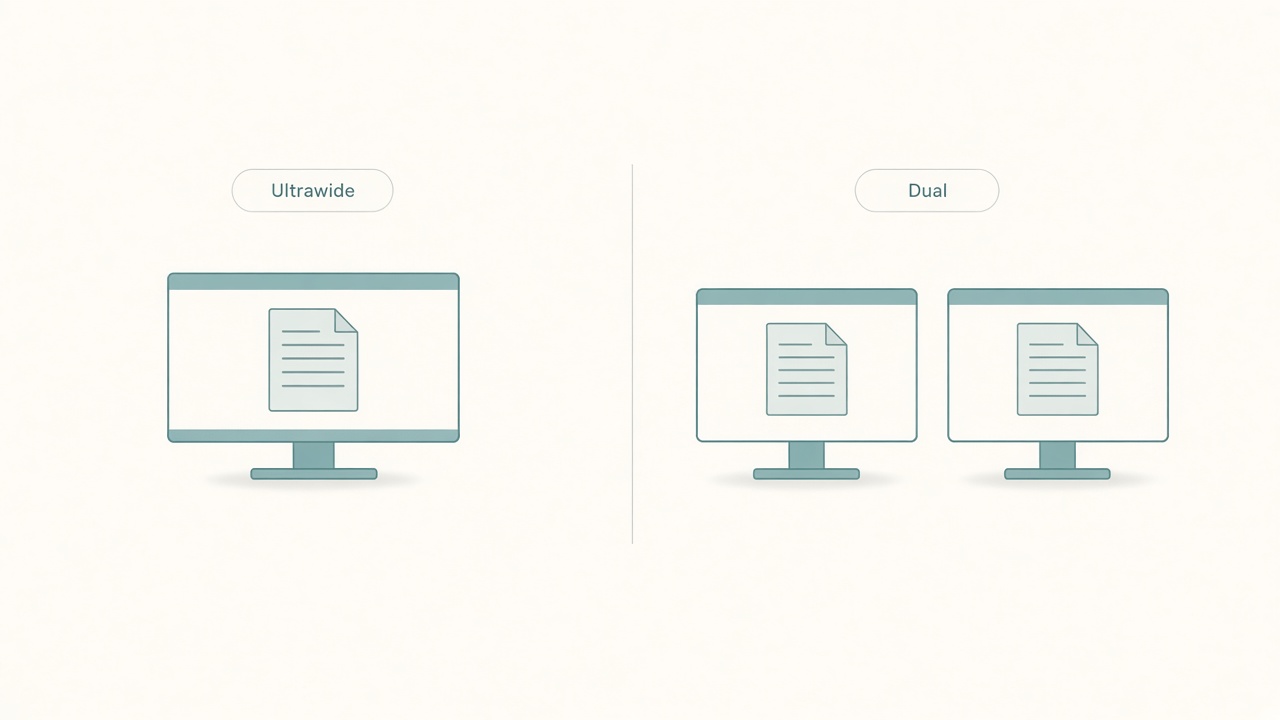
Compare one wide panel versus two screens.
What writing actually needs from a display
Most serious writing sessions use three visual roles. The draft home is the document that must stay readable and central. The reference strip holds sources, tickets, a style guide, or an outline. The utility pocket holds chat, email, or music controls that should stay peripheral.
Dual monitors and ultrawides can both host those roles. They fail differently. Dual setups tempt you to put chat on the side monitor “just in case,” which trains constant peripheral checking. Ultrawides tempt you to open five columns until the draft becomes a skinny middle pane fighting for space.
Before buying anything, write for three days on your current screen and note how often you truly need simultaneous reference versus how often you alt-tab out of habit.
Dual monitors: strengths for writers
A classic laptop-plus-external or two-external layout gives hard visual separation. Many writers like a draft on the primary display at comfortable size, research on the secondary, and a clear mental boundary where one side is making and the other is gathering.
That separation can reduce accidental overwriting of windows. It also makes screenshots and side-by-side comparisons easy when you document UI or compare versions.
Costs show up in the body. If the secondary sits too far left or right, your neck lives in a partial turn for hours. If heights differ, your eyes bounce between mismatched horizons. Dual setups also double glare angles and cable mess.
Use dual monitors when your references are large, such as spreadsheets, long PDFs, or design comps that must stay open while you type. Skip dual if your secondary becomes a notification billboard.
Ultrawide: strengths for writers
A single wide panel keeps one focal plane. You can place draft and reference as adjacent columns without a physical gap. Many people report less neck yaw because useful content stays nearer the centerline.
Ultrawides shine when you want one calibrated brightness and color surface, when desk depth is limited and a second panel would sit too far aside, and when you prefer snapping two or three zones with operating-system window tools.
They struggle when the panel is so wide that the outer thirds become junk drawers. A 34-inch ultrawide used as everything everywhere recreates dual-monitor distraction without the honest boundary of a bezel.
If you choose ultrawide for writing, decide zone widths on day one. A common writer layout is roughly half to a bit more than half for the draft, about a third for reference, and a thin utility strip—or no utilities at all during deep blocks.
Neck turn cost and viewing geometry
Geometry beats marketing copy. Keep the draft centered in front of your body rather than off to a side monitor. Put references slightly off-center rather than at extreme edges. Match top edges if you use two panels so your eyes do not climb and dive. Sit at a distance where you can read body text without leaning, and check with the monitor distance tool if you want a quick sanity range.
A dual setup with the primary centered and a secondary used only for occasional reference can be gentler than an ultrawide that forces tiny fonts across a huge arc. Conversely, an ultrawide with disciplined zones can beat a dual setup where both screens demand equal attention.
If you catch yourself turning your chair to read, the layout failed even if the hardware is expensive.
Focus tradeoffs nobody puts on the box
The dual-monitor focus risk is ambient anxiety. Slack badges glow in peripheral vision. You feel productive because you are monitoring, while the paragraph stalls.
The ultrawide focus risk is easy tiling until every tool is visible. Visibility is not the same as usefulness. Writing often improves when fewer surfaces compete.
Mitigations work on either hardware. Use full-screen or distraction-free mode for drafting sprints. Hide chat until a scheduled gate. Keep only one reference window open and close the rest into a reading list. Use virtual desktops so one desktop is for drafting and another is for research sorting.
Hardware does not create discipline. It either supports a rule you already have or amplifies the absence of one.
Decision guide by writing style
Choose dual monitors if you regularly compare long documents side by side at readable zoom, keep a ticket board visible while drafting release notes, review designs or dashboards that need native width, or share one screen in meetings while keeping private notes on the other with care.
Choose ultrawide if you regularly draft and cite in two columns without huge canvases, want cleaner cable and brightness consistency, work on a narrow desk where a second panel would sit behind clutter, or prefer one focal plane for neck comfort.
Choose one good mid-size panel if you mostly write from memory or outline and research in bursts. Upgrading from a dim laptop screen to one excellent external often beats any multi-surface hobby purchase.
A one-week test before you spend
You can simulate both directions cheaply. To simulate ultrawide thinking on dual hardware, place both monitors close, angle them into a shallow curve, and force draft plus reference into the inner halves only while leaving outer edges empty. If focus improves, you may want one wide surface.
To simulate dual thinking on one screen, use operating-system snapping for two panes all week. If you constantly wish the reference pane were farther away so it stopped pulling your eyes, dual separation might help—or you need stricter hiding rules rather than more glass.
Track finished sections and tab-loop frequency, not just hours at the desk. Feeling futuristic is not a metric. Finishing two sections with fewer tab loops is.
Checklist
- Draft window sits centered to my torso
- Reference material has a defined zone rather than five overlapping browsers
- Chat is hidden during drafting blocks
- Panel height keeps eye line near the top third of the active text
- Viewing distance allows comfortable font size without leaning
- Neck does not hold a constant turn for secondary content
- Zone discipline tested for a week before buying new hardware
- Cables and glare angles are acceptable in the real room
FAQ
Is ultrawide better for focus than dual?
Not automatically. Ultrawide can reduce neck travel and visual seams, but it can also host more simultaneous clutter. Focus depends on window rules more than panel shape.
What size ultrawide works for writing?
Many writers do well around 34 inches at a resolution that keeps text sharp. Larger can help if you sit farther away. It hurts if you sit close and end up scanning a billboard. Prioritize text clarity over diagonal size.
Can a laptop plus one monitor beat both options?
Yes. A single external used as the draft home, with the laptop lid closed or used only for Slack gates, is a strong writing setup. Dual and ultrawide are upgrades for specific reference needs, not universal requirements.
How do I stop the second screen from becoming Slack Theater?
Make the secondary research-only during deep work. Move chat to a keyboard shortcut on the primary, or to a phone in another room during drafting sprints. If the badge is visible, it will win eventually.
Do I need the same resolution on dual panels?
Matched resolution and scaling reduces the jarring jump when dragging windows. Perfect matching is ideal. Mismatched pairing is still usable if the draft panel is clearly primary and remains centered.
Choose the display layout that protects a centered draft and a quiet reference role. Test zone discipline for a week before you spend, and let window rules do more work than glass.
Related tools: monitor distance