Article
A second-brain note habit that fits desk work

Second-brain advice often fails at a real desk because it asks you to become a librarian. You do not need a perfect knowledge graph. You need a habit that captures decisions, links, and next actions while the workday is still moving.
This guide is a lightweight desk habit—not a philosophy of personal knowledge management, and not a pitch for any one app.
At a glance
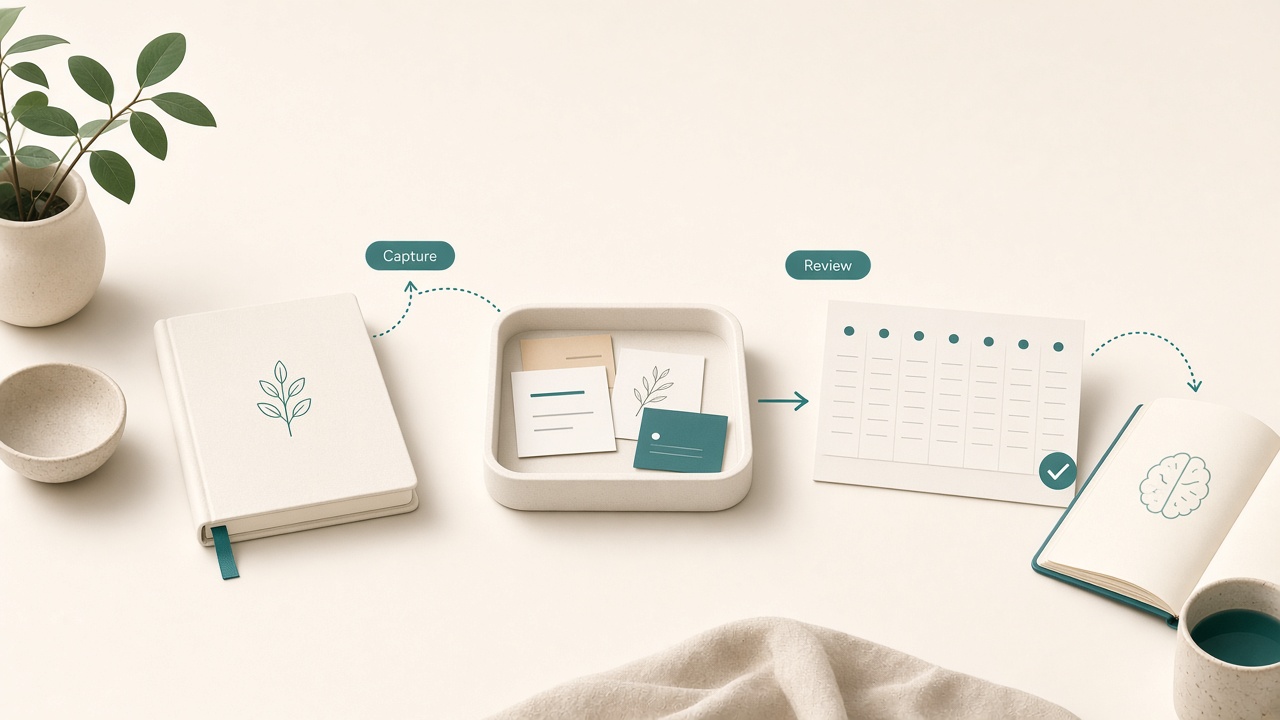
Capture quickly; review on a weekly cadence.
What is worth capturing
If everything is a note, nothing is findable. Capture only four classes of information. Decisions record what you chose and why, in one or two sentences. Pointers hold links, ticket IDs, file paths, and people to ask. Open loops are unfinished commitments with an owner and a next verb. Reusable snippets are phrases, commands, or checklists you will need again within a month.
Skip transcript-style meeting dumps, motivational quotes, and interesting articles with no intended use. Those collections become guilt piles.
One inbox, one daily review, one archive path
A desk-friendly second brain has three moves. First, use one capture inbox only: a notes-app quick capture, a paper pad beside the keyboard, or a single markdown file named inbox. During focus work, capture should take under fifteen seconds. If capture requires a taxonomy decision, you will not do it.
Good capture lines name the type of content: a decision to ship Friday without a blocked feature, a link to a design spec for an onboarding flow, or a loop to ask a colleague about invoice codes before Thursday.
Second, run a daily ten-minute review at end of day or next morning. Turn loops into calendar tasks or ticket comments. File decisions under the project they belong to. Delete noise without ceremony. If you skip review for three days, stop capturing until you clear the backlog; an unprocessed inbox trains you to distrust the system.
Third, archive by project, not by vibe. Store notes under project names you already use at work. Avoid clever evergreen categories until the habit is stable for a month. Retrieval beats elegance.
The decision note template
When something matters, write a tiny decision note. State one sentence of context. List two or three options considered. Record the choice. Name the real constraint—time, risk, politics, or quality. Add the condition that would reopen the choice.
This takes about two minutes and can save a long re-litigation next week. It also helps teammates when you are out.
Link notes without becoming a curator
Links rot and titles lie. When you save a link, add the job it must do: wording for a pricing table, reading before Friday’s stakeholder call, or reference only if API authentication breaks again. If you cannot name the job, do not save the link. Your future self is not a search-engine volunteer.
Keep notes beside the work, not instead of it
The second brain supports desk work; it is not the work. Do not polish notes during a hard-focus block. Do not reorganize folders on Monday mornings to feel ready. Do not migrate apps more than once a year. Prefer updating the source of truth—ticket, document, or pull request—and leave a pointer note only when you need personal context the team tool will not hold.
Paper still wins for some captures
A small pad next to the mouse is often faster than any app switch. Use paper for interrupt captures during calls, temporary math or outline scratches, and end-of-day shutdown lists. Photograph or transcribe only the lines that must persist. Throw the rest away. Paper’s strength is disposability.
Weekly cleanup that stays short
Once a week, spend fifteen minutes. Search for notes older than thirty days with no project tag and delete or file them. Promote any checklist you reused twice into a reusable note. Clear the inbox to zero. If weekly cleanup exceeds fifteen minutes, your capture criteria are too loose.
Search before you invent structure
If you cannot find a note, the fix is usually better naming—not a new app. Title notes with the project first and the topic second, such as Hiring — interview rubric v2, not Notes from today. After a month, use search for two weeks before creating evergreen folders. Most desk workers need fewer categories than personal-knowledge blogs suggest.
Tie notes to the shutdown ritual
The easiest review habit attaches to something you already do. During end-of-day shutdown, process the inbox to zero or to a visibly small remainder. Move open loops onto tomorrow’s list or a ticket. Write one decision note if you made a non-trivial call today. Close the notes app so it does not become evening entertainment.
If you skip shutdown, notes rot. If you keep shutdown, the second brain stays thin and trusted.
Common failure modes
Tool hopping feels like progress and erases continuity. Over-tagging with five tags per note guarantees you will stop tagging. Meeting stenography hides decisions inside transcripts; extract decisions instead. Hoarding PDFs saves the binder when you needed a page number and a sentence.
Checklist
- Single capture inbox chosen
- Capture line includes decision, link job, or next verb
- Daily review slot on the calendar (10 minutes)
- Project-based folders or pages, not vibe categories
- Decision template used for non-trivial choices
- Links saved with an intended job
- Weekly fifteen-minute cleanup scheduled
- No app migration planned for the next quarter
FAQ
Which app should I use?
The one already open on your machine most of the day. Switching cost usually exceeds feature benefit. Consistency beats syncing theater.
How is this different from a to-do list?
To-do lists track actions. Second-brain notes at a desk track context that makes actions intelligible later—especially decisions and pointers.
What if my company already has a shared wiki or docs tool?
Use the company system for shared truth. Keep a personal inbox for temporary capture and private context, then push durable decisions back to the shared document.
Do I need bidirectional linking?
No. Start with search and project pages. Add linking only after you feel pain finding related notes.
How long before this feels natural?
Most people need two quiet weeks of daily review before trust appears. Until then, keep the rules stricter and the volume lower.
Next reading
- Document naming rules for a home office
- An end-of-day shutdown ritual for remote workers
- Inbox zero vs inbox calm for remote workers
Capture less, review daily, and store by project. A second brain that fits desk work should disappear into the day—not become the day.