Article
The smart order for desk budget upgrades

Desk shopping goes wrong when aesthetics lead and geometry trails. People buy glowing accessories for a workstation that is still too high, too low, or too far. A smarter budget order fixes fit first, then comfort, then looks.
This is a purchasing sequence for remote desks. It is not medical advice, and it is not a demand to spend money—many early fixes are free.
At a glance
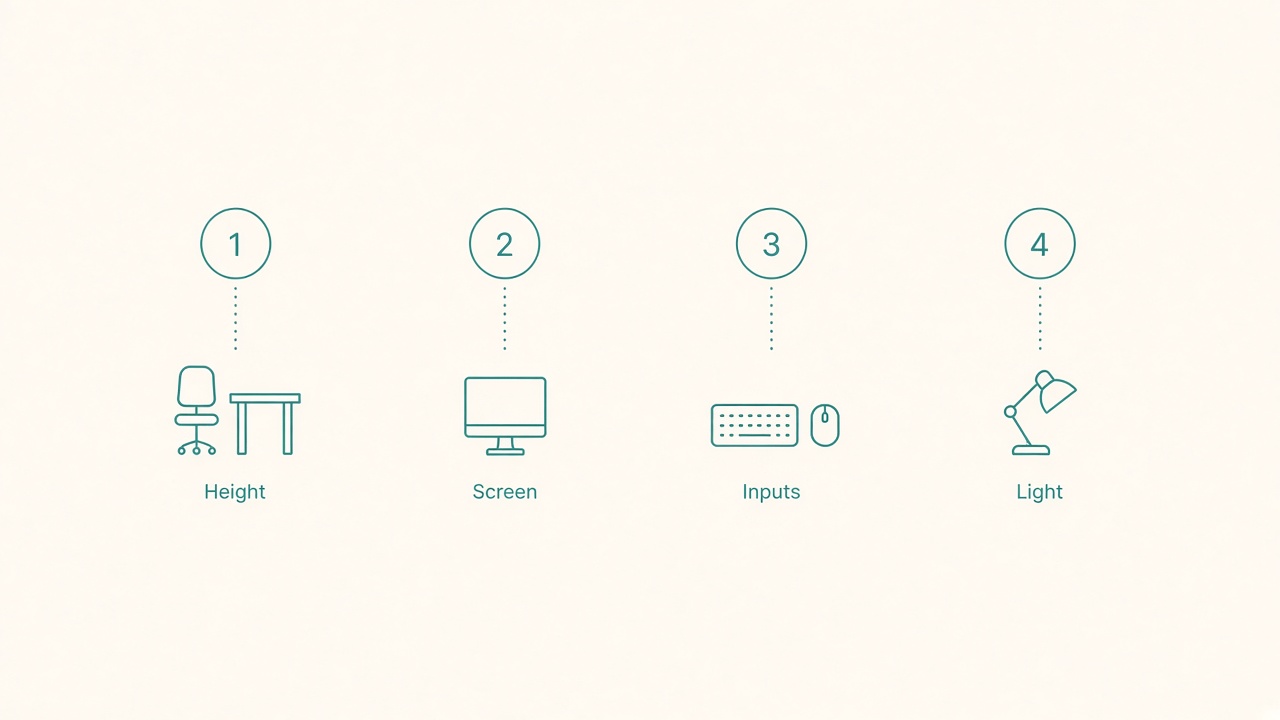
Spend in order: height, screen, inputs, then light.
Tier 0: free geometry before any purchase
Spend a weekend on adjustments that cost nothing. Set chair height so feet plant and forearms can sit near parallel to the floor. Raise the monitor with books or a stable temporary riser. Pull keyboard and mouse into the primary reach arc. Reduce glare by moving the desk or closing a blind. Remove cable trip hazards.
If you skip Tier 0, every later purchase risks encoding a bad posture. Use site tools where helpful, then reassess what still bothers you after a normal workday.
Tier 1: the geometry stack
Buy in this order when the free setup still fails.
External keyboard and mouse come first for laptop users, because they unlock screen height. Without them, a laptop riser creates shrugged typing. A solid basic keyboard and mouse pair often beats a premium chair placed in front of a bad laptop hunch.
Next, add a laptop riser or other monitor-height solution. Once input devices exist, raise the display to an eye-friendly height. A simple stand beats a decorative dock that leaves the screen low.
Upgrade the monitor only if the laptop panel is genuinely limiting. Buy more space for work you already do—writing, IDE, design—not because a review called a high-resolution panel necessary. One good external display usually beats two mediocre ones for focus-heavy roles.
Choose a chair that fits you. Prefer adjustability in seat height, back angle, and armrests over brand mythology. If budget allows only one big item and your current chair is broken or tiny, the chair can jump the queue—but still pair it with keyboard and mouse geometry.
Tier 2: comfort multipliers
After geometry is acceptable, spend on comfort that extends good posture. Useful buys include an anti-fatigue mat if you stand in blocks, a footrest if your feet dangle after correct seat height, a task lamp that lights paper without washing the screen, and a decent headset so you stop cradling a phone.
These purchases fail when they compensate for a desk that is still the wrong height. A mat will not fix a keyboard that forces awkward wrist angles all day.
Tier 3: workflow polish
Now buy time savers: a monitor arm if you must reclaim depth or share a desk, a docking station for hybrid bag simplicity, a sit/stand desk if you already use healthy sit patterns and want easier switching, or a better webcam and light for meeting-heavy roles.
Notice how late the standing desk appears. An adjustable desk on day one is fine if you found a deal, but it is not automatically the first problem to solve.
Tier 4: aesthetics last
Cable sleeves, desk mats, plants, acoustic panels, and matching wood tones improve how the room feels. Buy them when the station already works. Beautiful clutter is still clutter if it pushes the mouse out of reach.
Budget scenarios
Under a small fixed budget, keyboard, mouse, and riser almost always beat a cheap gaming-chair impulse. Keep the current chair if it adjusts and is not broken.
For a mid-range refresh, fix input and display height, then invest in the chair. Add a lamp. Defer ultrawide monitors until you know you need the width.
For a larger rebuild, prioritize chair, external monitor, and a stable desk surface, then arms and docks. Keep receipts and test return windows. Sit for real work sessions before the return period ends.
What not to optimize early
Defer mechanical-keyboard aesthetics before layout width, because number pads push mice out. Skip RGB accessories, matching furniture sets that fight room constraints, dual monitors before single-monitor height and distance are correct, and standing-desk converters that leave the keyboard tray unstable.
Reimbursement and timing tactics
If your company offers a stipend, sequence purchases to match policy windows. Confirm what categories qualify before you fall in love with a chair brand. Keep invoices and model names in one folder. Buy geometry items first so stipend money does not vanish on desk mats. Use return windows to test chairs during real work, not five-minute showroom sits. If the stipend renews annually, fix Tier 1 this year and Tier 2 next year rather than splitting into five weak buys.
Personal budgets benefit from the same patience. A calendar reminder thirty days after each upgrade asks whether the change still mattered. If not, stop the upgrade chain.
Decision test before each purchase
Write one sentence: “This purchase fixes ___ which I still notice after Tier 0 adjustments.” If you cannot name the residual problem, wait a week. Impulse upgrades are how budgets vanish without comfort gains.
Checklist
- Tier 0 free geometry attempted for at least three workdays
- Laptop users have external keyboard and mouse before risers become permanent
- Display height corrected next
- Chair chosen for adjustability and fit, not marketing
- Comfort accessories added only after geometry is acceptable
- Sit/stand and arms treated as polish, not first principles
- Aesthetic buys deferred until the station works
- Each purchase names a residual problem it solves
FAQ
Is a standing desk worth it early?
Only if sitting geometry is already good and you want easier posture changes. Standing on a bad height still creates strain. Many people get more from chair and monitor height first.
Should I buy used?
Yes for chairs, monitors, and arms if you can inspect stability and return policies. Be cautious with worn chair gas lifts and wobbly converters.
What if my company will reimburse only one item?
Pick the bottleneck you cannot fix free: often a chair, or an external monitor plus an out-of-pocket keyboard and mouse.
Do plants and decor ever count as setup?
They can support calm, but they do not replace geometry. Buy them when they will not invade the reach arc.
How long should I wait between upgrades?
Long enough to feel the last change during real deadlines—usually one to two weeks. Stacking five changes at once hides what worked.
Next reading
- Budget ergonomic checklist
- When a monitor arm is worth buying
- Anti-slouch laptop stack that stays stable
Spend in the order your body notices: geometry, comfort, polish, then looks. A calmer desk is usually a better-fitted desk—not a more expensive one.