Article
External webcam placement that looks natural

People do not need cinema equipment to look natural on calls. They need a camera near eye line, a frame with a bit of breathing room, and light that hits the face instead of the ceiling. Most “I look weird on Zoom” problems are placement problems wearing a shopping habit.
This guide covers external webcam placement on a normal desk. Built-in laptop cameras can improve with risers, but a small external camera gives you freedom to put the lens where your eyes already are.
At a glance
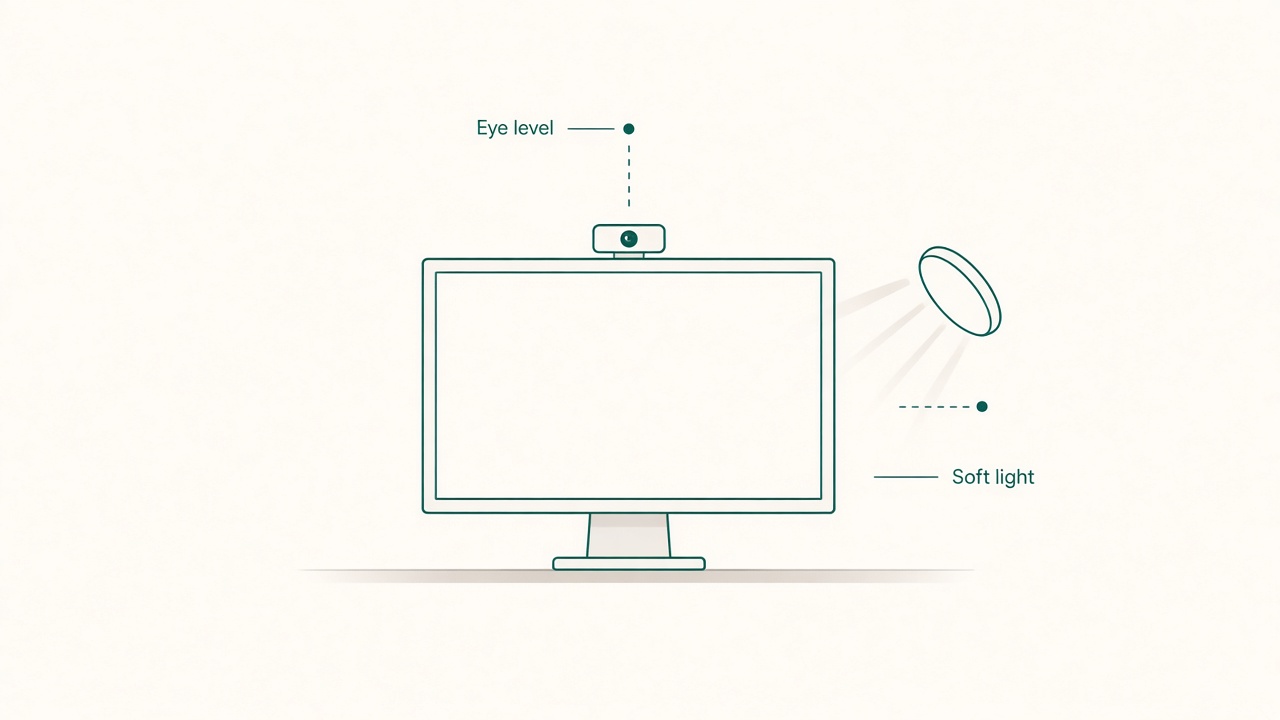
Camera at eye level with soft side light.
Start with eye line, not with megapixels
Mount the webcam so the lens sits roughly at your eye height when you sit in your normal working posture. Use your real Tuesday posture, not your best posture for a mirror test.
Practical mounts include a monitor-top center clip for a single external display, a stack above a laptop only after the laptop itself is raised to a sensible height, and a short arm mount if the monitor bezel cannot hold a clip securely.
If the camera looks down at you, viewers see forehead and nostril drama. If it looks up from desk level, they get a ceiling tour. Centered eye-line cameras read as attentive even when your outfit is ordinary.
Keep the camera as close as practical to the place your eyes rest on the screen. Huge horizontal offset, such as a camera on the far left while you stare at a document on the right, creates the familiar looking-past-you effect.
Framing that feels human
Open your camera app and adjust until your eyes sit about one-third down from the top of the frame, a little space remains above your head, shoulders are visible enough to stabilize the portrait, and you are centered or slightly off-center on purpose rather than accidentally drifting.
Sit at a distance where your face is clear but not a passport macro. If text on screen is already at a healthy viewing distance, you are often in a good ballpark for camera distance too. Verify comfort with the monitor distance tool, then fine-tune framing.
Avoid digital zoom if it turns the image soft. Move the camera or yourself first. Software crop is a last resort.
Lighting basics that beat fancy ring lights
A ring light helps some faces and washes out others. Before buying, try a simpler order. Face a window for soft daylight if glare on the monitor is manageable. Otherwise place a lamp behind the webcam, slightly above eye height, aimed at your face rather than at the lens. Dim aggressive overheads that carve eye sockets into caves. Reduce a bright window directly behind you, or close a curtain during calls so you are not a silhouette.
Test by taking a still screenshot. If you can see your eye color and the edges of your face without white blowouts, you are ahead of most calls. Bounce light off a light wall if direct lamp glare feels harsh.
Color temperature consistency matters more than perfection. Mixing icy overhead LEDs with a warm desk lamp can make skin look muddy. Pick a dominant temperature for call hours.
Background and cable discipline
Natural framing includes what sits behind you. Raise the camera enough that a bed or laundry pile falls out of frame when possible. Keep the first meter behind you calmer than the rest of the room. Hide cables dropping from the webcam with a simple clip along the monitor arm or stand. Avoid spinning ceiling fans directly over your head in frame because motion steals attention.
You do not need a fake bookshelf. You need fewer competing shapes near your head outline.
Align behavior with the lens
Placement cannot fix divided attention. If your primary document lives on a side monitor far from the camera, you will look disengaged while carefully working.
Put the meeting window near the camera’s monitor. Use a single-monitor mode during important conversations. Move reference material closer to center during one-to-ones. Accept glance-aways for notes, but return your eyes to the lens cluster when speaking.
Think of the webcam as a conversation partner location. Speak toward it more than toward your own thumbnail.
A fifteen-minute setup drill
Clip the camera at eye height in the center. Open preview and set headroom plus shoulder inclusion. Position key light or face the window, then kill strong backlight. Sit in real posture and re-check the frame because people sink in chairs. Route the cable and secure the mount so bumps do not aim you at the ceiling. Join a test call with a friend or record a one-minute sample. Adjust one or two centimeters at a time because small moves matter.
Save this layout. Meeting days are bad times to reinvent geometry.
Common failure modes
A webcam perched on a laptop at desk height while you look up at an external monitor is a classic failure. An ultrawide with the camera at a far corner while you type in the center third is another. A lens smudged by fingers after daily adjusting softens every call. Aggressive auto-framing software can crop you into a restless rectangle. A mount that slowly tilts through the day quietly ruins the frame by late afternoon.
Clean the lens weekly. Tighten the mount monthly. Turn off aggressive auto-framing if it creates motion sickness for viewers.
Checklist
- Lens near eye height in normal seated posture
- Camera close to where my eyes look on screen
- Eyes around the upper third of the frame with modest headroom
- Key light on face and strong backlight controlled
- Background clutter minimized near head outline
- Cable secured and mount stable against drift
- Meeting window living near the camera when conversation matters
- Test screenshot reviewed before important calls
FAQ
Do I need a 4K webcam?
Usually not for daily standups. Clean glass, good light, and correct height beat unused resolution. Bandwidth and CPU often downscale fancy sensors anyway.
Is an external camera always better than a laptop camera?
External wins when it lets you place the lens at eye line while using a proper keyboard height. A laptop camera can be fine if the whole laptop is raised and you use externals for input. Many people never raise it, which is why externals feel magical.
Where should the mic sit if my webcam has one built in?
Built-in webcam mics vary. If you sound boxy or distant, use a headset or a dedicated mic closer to your mouth and keep the webcam’s job limited to video. Do not chase gain that also boosts keyboard noise.
Can I mount the camera below the screen?
Occasionally for accessibility or odd furniture, but upward angles are rarely flattering or natural for conversation. Prefer above-center whenever possible.
Why do I look fine in a mirror but odd on camera?
Mirrors flip your face the way you are used to seeing yourself. Cameras show the non-mirrored version. Framing and light still dominate. Give yourself a few days to adapt before buying new gear out of unfamiliarity.
Natural call presence comes from eye-line placement, modest framing, and simple face light. Fix those three before you shop for megapixels.
Related tools: monitor distance