Article
Task batching for a remote calendar

Remote calendars fill with good intentions: a thirty-minute island labeled ?focus,? a scatter of pings, and five unrelated tasks squeezed between calls. By mid-afternoon you have been busy for hours and still feel behind. Task batching is the antidote. Group similar work so your brain stops paying the switching tax.
This guide shows how to rebuild a remote week around batches without pretending you control every meeting invite.
At a glance
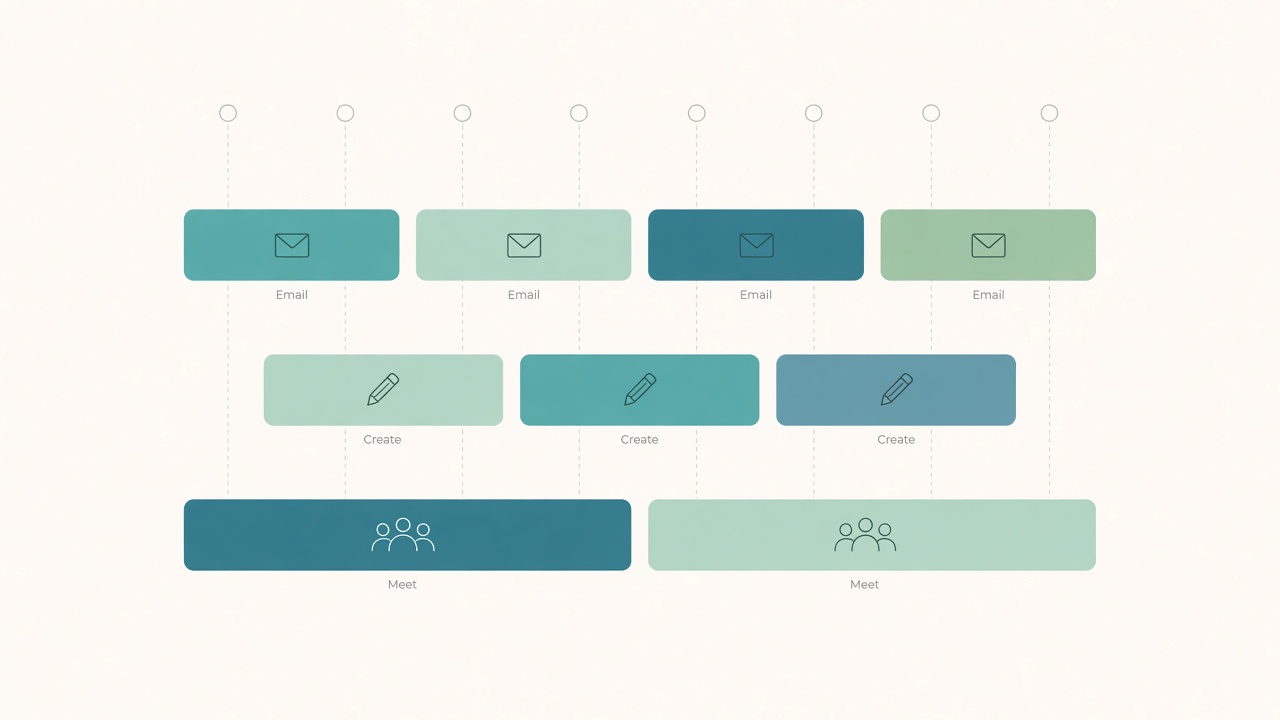
Color-block email, create, and meeting batches.
What batching actually means
Batching is not a demand to do more. It is one cognitive mode per block: one toolset, one kind of decision, and one definition of done.
Batches that travel well across roles include a communication batch for email, chat catch-up, and async comments; a creation batch for drafting, designing, or coding a feature slice; a review batch for pull requests, docs QA, and slide proofing; an admin batch for expenses, scheduling, and file hygiene; and a meeting batch of contiguous calls with short recovery gaps.
Mixing strategy writing, reimbursements, and five chat threads inside one hour is how afternoons shred.
Map last week before you redesign next week
Open last week?s calendar and sent messages. Tag each chunk as meeting, deep create, shallow communicate, admin, or interrupted scavenger time.
You will usually find create work smashed into leftovers. That evidence sells the change better than a productivity slogan, especially if you share a calendar with a manager. Redesign from observed reality, not from an idealized empty week.
Design batches that fit real constraints
Anchor the immovables first
Place all-hands, client calls, and pair sessions first. Batching lives in the negative space around them.
Protect one create batch on meeting-heavy days
Even seventy to ninety minutes of single-mode creation beats four fragmented twenty-minute attempts. Morning is ideal for many people. If mornings are owned by standups, claim a late-morning or early-afternoon create batch and defend it with the same seriousness as an external meeting.
Collapse communication into windows
Two or three chat and email windows, such as late morning, mid-afternoon, and end of day, outperform continuous partial attention. Tell collaborators when you batch. Predictability reduces their urge to escalate.
Park admin on a short leash
Admin expands to fill open space. Give it a named block, often Friday mid-afternoon, and keep a running list so random chores do not invade create time.
Calendar mechanics that make batches stick
Title blocks by mode, not by vague hope: ?Create: onboarding doc,? not ?Focus.? Color by mode so a glance shows imbalance. Default invites to include five to ten minute buffers for notes and posture resets. Decline or renegotiate low-value meetings that puncture your only create batch, and offer async notes first. Keep a single capture list for ideas that appear mid-batch so you do not context-switch into them immediately.
If your company culture treats calendars as public property, mark create batches as busy and add a one-line purpose. Opacity invites overrides.
Handling emergencies without abandoning the system
True emergencies exist. Fake emergencies are more common. Use a triage rule. Break the batch for safety, revenue, or production-down issues. Park someone else?s poor planning in the next communication window unless you are the on-call owner. Capture curiosity pings and return to them later.
After a forced break, do not scrap the day. Restart with a smaller artifact goal for the remaining time.
A sample remote day
Adapt freely. One workable shape is a morning create block with one artifact only, a short communication triage window, a meeting cluster with notes in one document, an afternoon reply batch, a second create or review block, a list-driven admin block, and a final communication window for shutdown handoff.
Your proportions will differ. The shape matters: modes are clumped, not marbled.
Close tabs that belong to other modes. Use separate browser profiles or virtual desktops named Create, Communicate, and Admin. Full-screen the primary artifact during create batches. Put the phone in another room during the first create block if that is your weakness. Some people also stand for communication batches and sit for delicate create work, or the reverse, as a bodily cue that modes have changed.
Weekly review that keeps batches honest
Batching decays when the calendar quietly fills with ?quick syncs.? Run a twenty-minute review each Friday. Count create-batch hours actually kept versus scheduled. List the top three puncture sources among meetings, self-interrupts, and chat. Pre-place next week?s create batches before accepting new optional invites. Move leftover admin tasks into a single Monday or Friday admin block rather than sprinkling them through the week.
Share a shortened version with your manager if your role is invite-driven. A clear statement such as ?I protect 9:00?10:30 for build work; afternoons are better for syncs? gives people boundaries they can see.
Tools that help without becoming the project
Calendar colors, one task manager with mode tags, and a capture inbox are enough. Avoid building a second enterprise workflow to support batching. If configuring boards takes longer than the batches themselves, simplify until the calendar is again the source of truth.
Virtual desktops reinforce modes. When the create desktop has no chat icon in the dock, you remove a class of leaks. The same idea works with separate browser profiles.
Checklist
- Last week tagged by mode, including honest scavenger time
- Immovable meetings placed first on next week?s calendar
- At least one defended create batch on each weekday you need output
- Communication limited to scheduled windows and announced to teammates
- Admin list feeds a fixed block instead of random invaders
- Calendar titles name the mode and artifact
- Capture list ready so mid-batch ideas do not derail the block
- Friday review compares kept create hours with scheduled create hours
FAQ
Isn?t batching just time blocking?
Time blocking schedules hours. Batching decides what kind of cognition those hours hold. You can time-block a chaotic mix and still pay switching costs.
What if my job is almost all reactive support?
Batch the residual deep work ruthlessly, and batch triage itself by ticket theme or severity pass. Even reactive roles benefit from a first pass across similar items rather than ping-ponging across unrelated queues.
How long should a batch be?
Most knowledge-work create batches work well at fifty to ninety minutes. Communication batches can be fifteen to thirty minutes. Longer than two hours usually needs a micro-break to stay honest.
Should I batch meetings on one day?
If you can, meeting days plus deeper create days reduce thrash. If you cannot, cluster meetings inside the day and guard the gaps.
What do I do with tasks that span modes?
Split them. Drafting a proposal is create work. Emailing stakeholders for input is communication. Filing the signed PDF is admin. One card can have three batch homes.
Batching works when your calendar shows modes, not hope. Protect one clean create block, collapse communication into windows, and review the punctures every Friday.