Article
How to share a desk with a partner at home

Sharing one desk with a partner sounds romantic until both cameras turn on at once, chargers migrate into black holes, and someone raises the chair without warning. A shared workstation can work in small apartments, but only if you treat it like shared infrastructure—with ownership, schedules, and reset rules—rather than a perpetual negotiation.
This guide is for couples or housemates alternating or co-using a single primary desk. Side-by-side dual desks are easier; here we assume space or budget says one surface.
At a glance
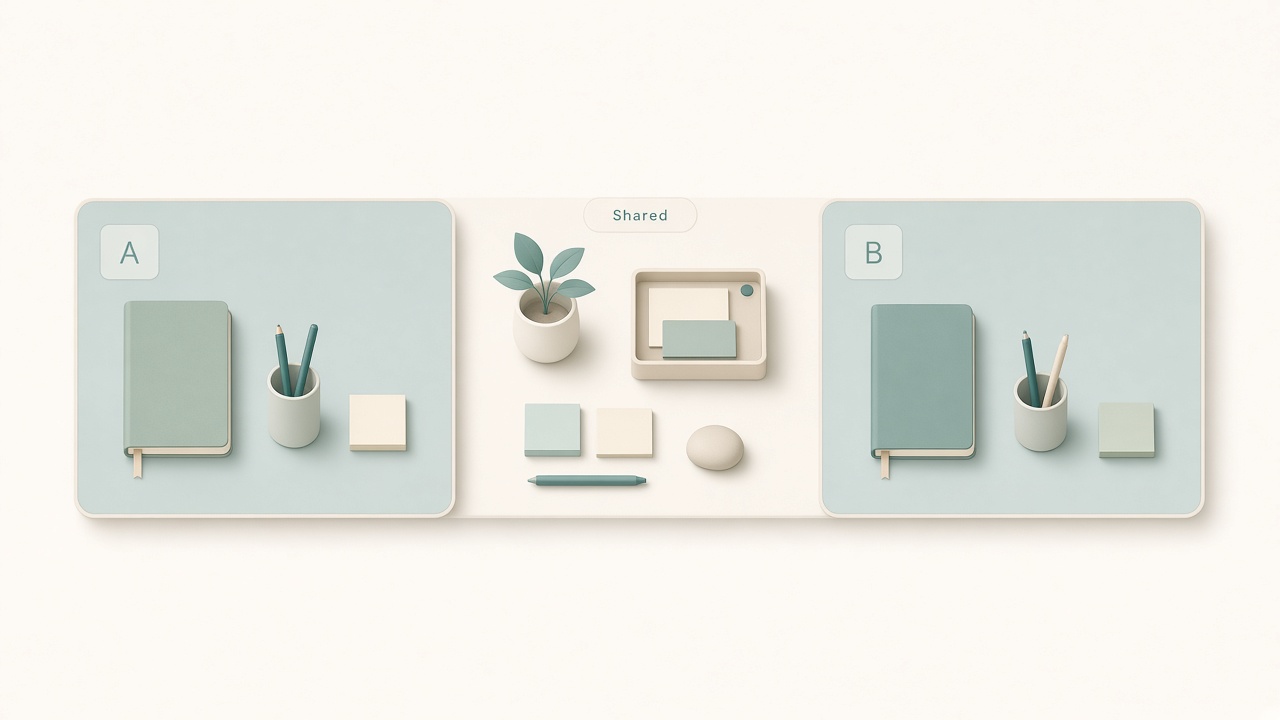
Personal trays plus a clear shared middle.
Decide the sharing mode explicitly
Ambiguity creates conflict. Pick a mode and write it down in a note you both can see. Alternating days assigns ownership by weekday. Alternating blocks split mornings and afternoons. Primary-plus-guest makes one person the default resident while the other books slots. True simultaneous use works only if the desk is wide enough for two postures without elbow war.
Simultaneous sharing on a narrow desk usually fails. If both must work at once, prioritize a folding tray table, a counter station, or a wall desk for the second person—even if imperfect—over constant shoulder collisions.
Build a height and chair protocol
Nothing sparks passive friction like a chair that teleports between body sizes. Save sit/stand desk presets labeled with names if the desk has memory. Keep a small card or phone note with each person’s chair-height marker; tape on the cylinder works. Agree that the person starting a deep block sets geometry first, and the other does not tweak mid-session. Recheck keyboard height after swaps because elbow comfort differs; the desk height tool helps when calibrating each profile once.
If one person stands more, agree anti-fatigue mat placement in advance so it does not become a trip discussion every Tuesday.
Cable ownership and the end of charger theft
Cables are where shared desks fail. Assign ownership with color or tags near connectors. Give each person a power-strip zone if the desk is wide enough. Label shared peripherals such as webcam and Ethernet dongle as common. Charge personal devices in personal bins, not in a mystery pile under the monitor.
Create a home-dock layout: laptop left or right consistently per person during their block. The monitor cable stays put; only the laptop end moves. If you hot-desk a single video or USB-C line, buy a short labeled adapter each so hunting ends. A cable tray under the desk with two hooks labeled by name beats a drawer of chaos.
Visual and digital privacy
Even close partners need boundaries when work involves other people’s data. Default to locking the computer when leaving the chair. Use separate operating-system users if the machine is shared hardware. Treat headphones on as a signal not to start a logistics conversation. Agree whether calendars are visible on an always-on monitor. Keep confidential paper in a folder that closes, not face-up beside the keyboard.
If one person takes many calls, add a simple door signal or desk flag. Guessing whether a pause is interruptible burns goodwill.
Scheduling around calls and deep work
Shared desks fail most often during overlapping meetings. Share work calendars at free/busy level. Protect at least one deep-work block each per day when possible. Prefer call-heavy hours for the person who can roam with a laptop if needed. Keep a backup call chair elsewhere; an armchair with a laptop board can save the primary desk for a partner’s screenshare marathon.
When both have immovable overlapping calls, the person with camera requirements gets the desk; the other uses phone plus earbuds from another room. Decide that rule before the conflict, not during standup.
The ten-minute swap ritual
Every handoff should look the same. Save and lock or shut down. Clear mugs, tissues, and snack debris. Coil personal cables to the labeled hook. Leave shared camera and microphone in a neutral position. Wipe the desk surface quickly. Set chair and desk to the incoming person’s markers, or leave a sticky naming the preset.
If swaps feel heavier than ten minutes, your storage plan is wrong. Add two caddies—one personal supply caddy each—that leave with the person.
Storage so two lives do not become one pile
A shared surface needs vertical and closed storage or it becomes a relationship argument disguised as clutter. Use two shallow drawers or fabric bins labeled by name. Keep one shared tray for pens, sticky notes, and clips. Give each person a wall hook for headphones. Add a small shelf for the idle keyboard and mouse set.
Agree that anything without a home leaves the desk at handoff. Sentimental objects can live nearby—just not in the camera frame or the mouse path. If one person needs reference books open for days, give them a side cart rather than colonizing the mutual work zone.
Relationship hygiene that is still desk design
Technical systems do not replace kindness, but they reduce unnecessary negotiations. Hold a weekly fifteen-minute desk standup. Ask what broke in the handoff ritual. Ask whether any cable needs replacing. Ask which hour pattern keeps colliding. Ask whether a small purchase—second keyboard, longer cable, desk pad—would remove friction.
Keep the tone logistical. The goal is fewer early-morning debates about who moved the webcam. When something keeps failing, change the system once instead of apologizing daily.
Checklist
- Sharing mode written and agreed (days, blocks, or primary/guest)
- Chair and desk height markers saved per person
- Cables color-coded; personal versus shared defined
- Lock screen or separate users for privacy
- Headphones rule for interruptions
- Calendars visible enough to avoid call collisions
- Ten-minute swap ritual followed at handoffs
- Personal caddies keep clutter from colonizing the surface
FAQ
What if we both need the desk at 9 a.m. daily?
Then one desk is not enough for simultaneous peak hours. Add a secondary surface—even a sturdy folding table—or stagger start times with employer flexibility. Hardware etiquette cannot invent a second rectangle of wood.
Should we share one computer or use two laptops on one monitor?
Two laptops plus one monitor with a simple switch or cable swap is usually saner for privacy and account separation. A single shared PC works for light use if you maintain separate logins and discipline.
How do we handle different mess tolerances?
Agree on a visible-surface standard: clear enough for a camera background. Personal drawers or caddies can be messier. The shared field of view stays calm.
Are matching keyboards worth it?
If both type a lot, two keyboards and two mice—even inexpensive ones—make swaps faster than constant replugging. Label them. Store the idle set on a side shelf, not in the chair.
What if one partner travels often?
Make the resident the default layout owner, with a documented guest-restore checklist for returns. Travelers should pack a personal kit—mouse, headset, charger—so home base stays stable.
Related tools: desk height