Article
Multi-monitor window layouts that reduce chaos

A second monitor promises speed and often delivers visual noise. Tabs multiply, chat docks itself wherever space appears, and the eyes spend the afternoon hunting for the active window. The useful fix is not more glass. It is a layout philosophy in which every screen has a job and windows obey that job.
This guide is for dual and triple setups used for writing, analysis, support, and light development. Keep physical geometry healthy with sensible distance and height; use the monitor distance calculator if a new layout makes you lean or twist.
At a glance
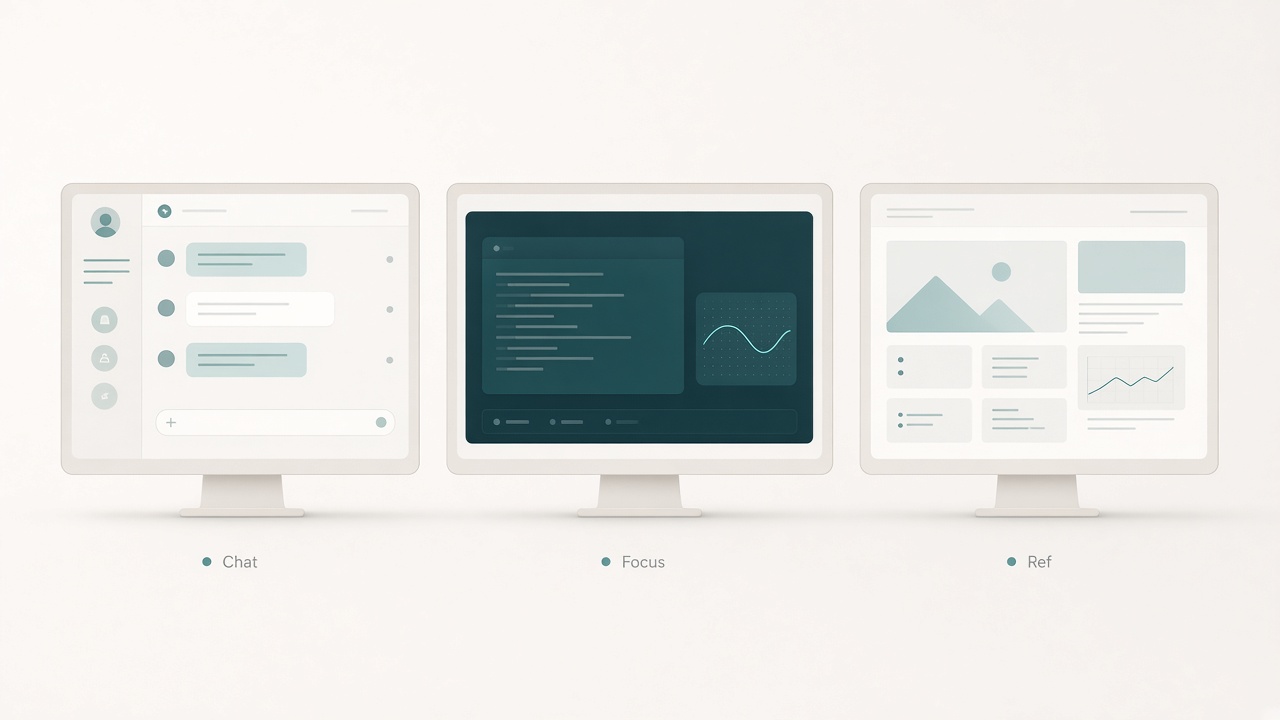
Assign roles: chat, focus, and reference.
The cost of role-less screens
Without assigned roles, multi-monitor desks create three recurring taxes. The search tax is time spent finding the window that actually needs input. The neck tax is repeated swinging between mismatched heights and angles. The attention tax is peripheral motion from feeds and notifications that were never invited into the work.
People often blame distraction as a personal flaw when the layout is recruiting interruptions by design. Role assignment removes that recruitment before willpower has to fight it all day.
Step 1: name the screens
Write labels on sticky notes and place them on the bezels for one week. Primary is where typing and decisive clicking happen. Secondary holds reference, communication, or monitoring. Tertiary—if present—holds calendar, dashboards, or media, and never becomes the primary editing surface.
If you cannot name a screen’s job in five words, that screen will accumulate junk. Naming is the constraint that makes later snapping rules enforceable.
Step 2: pick a layout pattern for your work
Choose one pattern that matches the dominant work, then customize a single constraint rather than twelve.
Pattern A — Writer / researcher
Primary holds the draft document at full height. Secondary holds one research browser or PDF, maximized or cleanly split once—not five tiny panes. Chat stays minimized or on a timed reveal rather than always visible.
Pattern B — Developer
Primary holds the editor. Secondary holds browser documentation or a terminal; choose one default and alternate by task type. Preview and terminal should not both fight for primary focus except during an active debug burst.
Pattern C — Support / operations
Primary holds the ticket or customer workspace. Secondary holds the knowledge base. An optional third screen may hold status dashboards with alerts muted to meaningful thresholds.
Pattern D — Meetings + notes
Primary holds notes or a working document at readable zoom. Secondary holds the video call near camera alignment. Slide decks you present move to primary; when you are only attending, keep the call secondary and notes primary.
Step 3: enforce with OS snapping, not hope
Layouts die when every window is hand-dragged into place. Learn snap left, right, and corners for your operating system. Create two saved arrangements if your tools support virtual desktops: Deep Work and Comms.
On Deep Work, park chat off the primary and secondary reference screens. On Comms, allow chat on secondary while keeping a single composing window on primary. Virtual desktops often beat opening a third monitor for people who mainly need role separation across the day.
Step 4: align the physical geometry
A coherent digital layout still fails if one monitor sits much higher or farther than the other. Match top edges as closely as possible. Keep the primary directly in front of you. Angle the secondary inward about 10–30 degrees so you turn less.
Avoid stacking a laptop far below an external display as a permanent secondary for text work; that arrangement trains neck flexion. Recheck viewing distance after rearranging. If the secondary is usable only by twisting the torso, it will become a junk drawer or a source of discomfort.
Step 5: create window laws
Write three laws and keep them visible near the desk. Primary may host only one active work artifact plus a transient dialog. Notifications that move visually belong on secondary—or nowhere during deep work. Anything unused for twenty minutes gets minimized or closed rather than parked in a corner.
Laws feel strict until you notice how often corner windows steal a glance every thirty seconds. Consistency teaches both you and the applications where windows belong.
Chaos special cases
Ultrawide single-monitor users should apply the same roles as columns: left draft and right reference, or center draft with side tools. Zones matter more than panel count.
Laptop-plus-monitor travelers should make the external display the primary whenever docked. The laptop becomes secondary reference or stays closed if it causes a height mismatch.
Designers with color-critical screens should keep proofing on the calibrated display and chat elsewhere. Notification badges should not live on the color-critical surface.
Data work with many charts benefits from a dashboard desktop separate from an analysis desktop. Watching live charts while writing conclusions invites reactive tinkering.
A reset ritual when layouts rot
Every Friday, spend eight minutes restoring intent. Close everything. Reopen only the apps needed for next week’s dominant work mode. Reapply snap zones. Delete one always-on distraction from the secondary screen.
Layouts decay like physical desks. A short reset beats a week of quiet frustration.
Notification placement is part of layout
Where badges and toast popups appear can undo a calm secondary screen. Turn off banner notifications on the primary during deep work. Keep only high-signal alerts on the secondary. Disable message-preview motion if it pulls your eyes every few minutes. Batch chat checks on a timer rather than leaving the full feed visible.
A reference monitor that streams animated unread counts is not a reference monitor. It is a slot machine placed beside your work.
Scaling and readability across screens
Role assignment fails when the secondary is too small to read without leaning. Match zoom levels so switching screens does not require a posture change. Avoid tiny font on a far secondary “because it is just chat.” If you must lean for the secondary, move it closer, enlarge the interface, or stop using it for text-heavy reference.
Eyes hunt less when every role is readable from a centered posture.
Checklist
- Each screen has a written job in five words or fewer
- Primary sits centered; secondary angled inward
- Heights roughly matched; no permanent “laptop well” for text
- Deep Work vs Comms virtual desktops (or equivalent) defined
- Snap shortcuts practiced until automatic
- Chat is not always visible during deep work
- One active artifact rule on primary
- Notification motion limited on primary
- Travel or docked laptop role decided
- Friday layout reset on the calendar
FAQ
Is three monitors better than two?
Only if the third has a clear job. Otherwise it becomes a motion billboard. Many people gain more from virtual desktops than from additional panels.
Should the secondary be vertical?
Vertical orientation helps for long documents and code review. It hurts if it forces awkward neck tilt. Test for a week with your real tasks before committing.
How do I stop apps from spawning on the wrong screen?
Close them on the desired screen before quitting, use display-affinity settings where available, and retrain with a week of conscious placement. Consistency teaches most applications.
What about picture-in-picture video?
Picture-in-picture is useful for talks you must monitor and risky for deep work. Keep it off the primary and pause it during writing sprints.
Can good layouts reduce the need for a larger desk?
Somewhat. Better roles reduce sprawl. You still need enough depth for viewing distance and enough width to avoid extreme torso twist.
Related tools: monitor distance