Article
Laptop cooling habits that protect focus

A laptop that throttles mid-compile or sounds like a takeoff rolls attention downhill. You do not need a gaming-rig aesthetic to keep temperatures reasonable. A few desk habits protect both performance and focus—especially when the machine sits closed under a monitor or stacked on soft surfaces. This is practical thermal hygiene for remote workers, not a hardware-modding guide.
At a glance
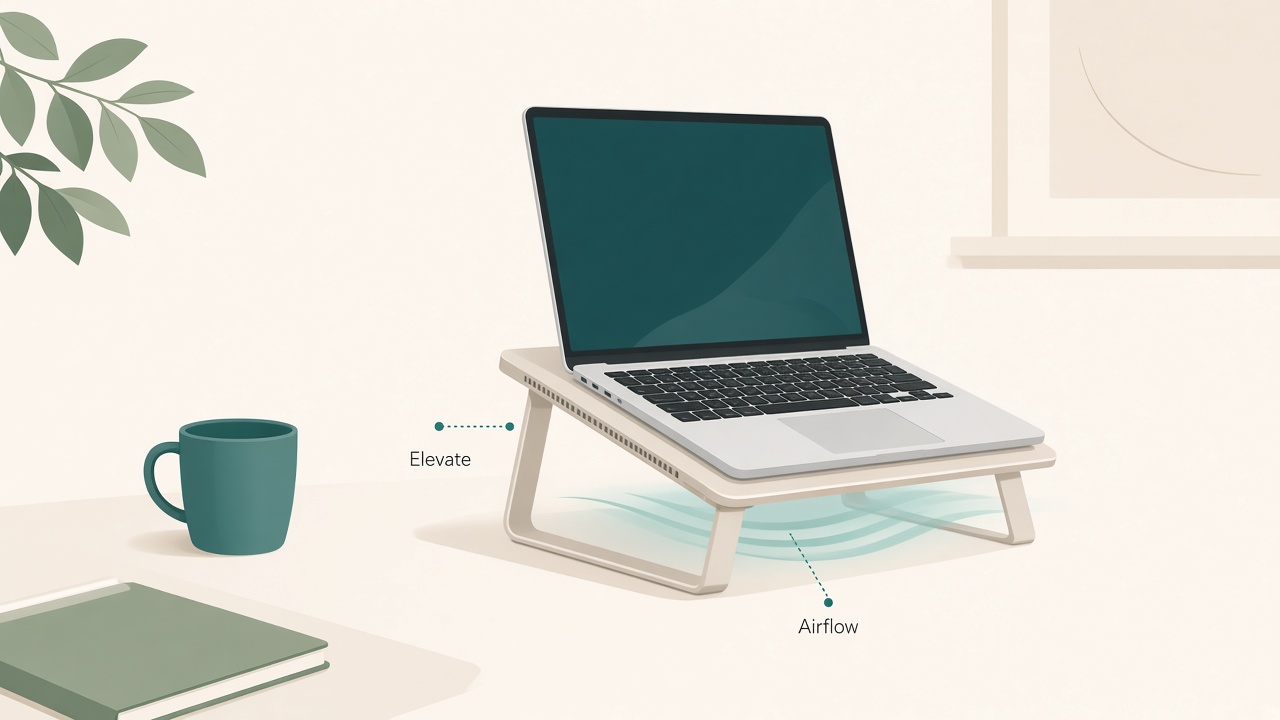
Elevate the chassis and keep vents clear.
Why heat becomes a focus problem
Fans ramp, keys get uncomfortable, frames drop, and you start babysitting system monitors instead of the task. Heat also tempts bad posture: sliding the laptop onto a pillow, blocking vents, or hunching over a hot deck “for just a minute.” Cooling discipline is part of workspace design, not a separate hobby.
Give the underside a real air path
Soft bedding, thick rugs, and couch cushions are heat traps. At a desk, avoid sealing the laptop flat into foam that blocks intake vents. Use a hard riser, stand, or rigid vented platform that lifts the chassis and leaves side and rear vents open.
If you use a closed-lid laptop under an external display, elevate it slightly and keep fabric, papers, and cable socks away from vents. Closed-lid use is fine for many machines. Closed-lid use inside a sleeve or under a sweater is not. Power bricks also need hard-surface air; burying a hot charger under fabric socks recreates the same trap beside the laptop.
Prefer an external keyboard and matched power modes
Typing on a roasting deck invites awkward wrists and constant heat awareness. An external keyboard lets the laptop sit higher and farther—often with better airflow—while you work at a calmer elbow angle. This is one of the rare upgrades that helps posture and thermals together. A matched external pointer keeps your hands off the hot chassis during long sessions as well.
On plug-in desk days, use a performance profile when you truly need it for builds, exports, or virtual machines. Between heavy jobs, drop to a balanced mode so fans are not permanently loud. Schedule renders and oversized downloads during breaks when noise matters less. Do not chase maximum clocks for email and documents. Matching power mode to task cuts noise interruptions and keeps thermal headroom for the jobs that actually need it.
Manage room climate, dust, and the docking jungle
Afternoon sun on a black chassis is a silent thermal multiplier. Angle blinds, shift the desk a few centimeters, or shade the laptop during the bright window. Leave space behind a docking setup; a monitor flush against a wall with a laptop wedged in the middle creates a hot pocket.
A small desk fan aimed past—not blasting grit into—the vents can help in warm rooms. Prioritize dust control on a schedule. Every month or two, power down and gently clean intake areas appropriate for your model, untangle the dock so exhaust is not firing into a cable beard, and retire a power brick that runs unusually hot compared with its twin.
Place exhaust toward open room, not into a wall or into your lap. Leave a hand-width of clearance behind the chassis. That single gap often matters more than a novelty cooler.
A sixty-second walkthrough before heavy work
Confirm the underside is not on fabric and side vents are clear. Nudge the chassis away from the wall hot pocket. Set a balanced power mode unless you are about to compile or export. Close unused browsers, virtual machines, and camera effects. Note idle fan noise; if it is already loud, fix airflow before you start writing.
On meeting days, close unused camera-effect apps that keep the GPU warm and quit browser profiles you are not using. If you run local containers or virtual machines, shut them down when the deep-work task does not need them. Background virtualization is a common reason a “light writing day” still sounds like a takeoff.
When habits are not enough
A basic passive riser helps almost everyone who blocked airflow. Active USB fans help some hot rooms and older machines; they add noise and another cable. Skip gel pads that seal vents. If you need extreme sustained loads daily, consider whether a desktop or remote build machine is the saner architecture. Desk gadgets cannot repeal physics forever.
Fan noise steals working memory during writing. Batch compiles and exports, use non-lyrical audio during unavoidable loud stretches, and move the chassis farther from your torso with longer video cables when needed. Silence is a feature. Treat it like one when you plan heavy jobs around meetings and writing blocks.
Habits also cannot rescue a machine undersized for daily heavy timelines or large local models. Options then include lower-resolution previews, remote build servers, cloud workstations, or a small desktop under the desk with the laptop demoted to a portable terminal. Choosing architecture is still a desk decision because heat and noise shape whether you can think. If the laptop only overheats on one charger, suspect the power path before you buy another cooling accessory.
Checklist
- Underside intakes clear of fabric, foam, and paper stacks
- Closed-lid desk use still leaves side and rear vents open
- External keyboard in play for long sessions
- Power mode matched to task, not left on maximum for everything
- Sun and wall hot pockets checked in the afternoon
- Dock cables cleared from exhaust paths
- Light dust maintenance on the calendar
- Background VMs or containers shut down when unused
FAQ
Is it bad to run a laptop closed with an external monitor?
Many modern laptops are designed for clamshell use with proper ventilation and a hard surface. Problems appear when vents are blocked, the surface is soft, or ambient temperature is already high.
Will undervolting or exotic firmware fix this?
Stay with vendor-supported power settings unless you know what you are doing. This guide sticks to desk habits; firmware experiments can void support and create new instability.
Do aluminum stands cool better than plastic ones?
Materials matter less than airflow and stability. A sealed pretty stand that hugs the entire underside can lose to a simple open riser.
Why does my machine get hotter on video calls?
Calls push CPU and GPU, keep cameras on, and often stack browser tabs. Close unused tabs, prefer stable network links when retries spike load, and give the chassis air during marathon meeting days.
Should I put the laptop on the floor to stay cool?
Floor dust and posture problems make that a poor desk strategy. Elevate on the desk with clear vents instead.