Article
Cable color coding for a calm desk

A calm desk is not only about what you see on the surface. It is about whether you can trace a dead monitor, a silent headset, or a flaky charger in under a minute. Color coding turns a dense cable run into a map without requiring a full rewire. This system works for sit/stand desks, dock-based laptop setups, and shared apartments where multiple chargers look identical.
At a glance
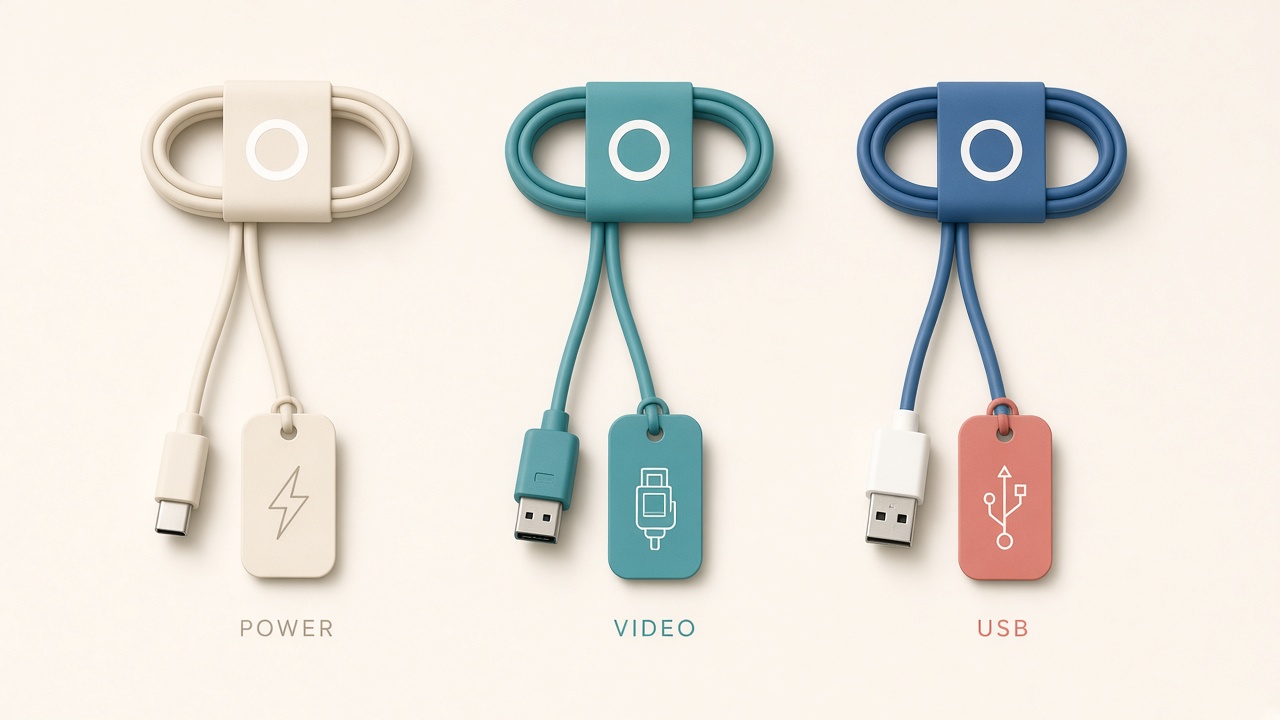
Color tags for power, video, and USB lines.
Start with a legend, not with tape
Write a tiny legend on a card before you mark anything. Store that card in a drawer or under the desktop where you will still find it during a failure.
| Color | Meaning |
|---|---|
| Blue | Display / video |
| Green | Power to devices |
| Yellow | Network / dock uplink |
| Orange | Audio |
| White / clear | Peripherals (keyboard, mouse, webcam) |
| Red | “Do not unplug” critical path (router, NAS, work VPN appliance) |
Adjust colors to the sleeves and tape you can actually buy. Consistency beats the “perfect” palette. Colored heat-shrink, clip-on rings, or washi tape near each connector all work when the legend stays stable.
Inventory, route by layer, and label both ends
Unplug only what is safe to unplug, then group cables by function on the floor. Retire mystery adapters you have not used in a year. Photograph the final routed setup before a move or company machine swap.
Label both ends. A blue band only at the monitor fails when the other end disappears into a power-strip jungle. Think in three layers: a power spine (strip or UPS with green-tagged leads), a data spine (dock or hub with yellow, blue, and white leads), and desktop drops limited to cables that must rise to the work surface.
Keep power and data separated enough that a yanked green cable is obvious and does not drag a blue video lead with it. On sit/stand desks, leave service loops with slack for full height travel. Place color bands on the moving section so they remain visible at standing height.
Labeling rules that survive daily use
Place bands within a few centimeters of each connector. Add a short write-on flag for non-obvious lines such as left monitor, headset, or laptop USB-C. Avoid wrapping sticky tape over connector ends you remove often; use clip-on rings there instead.
If two cables share a color family, differentiate with stripe count rather than inventing a new mythology every month. Match docking cables across bags if you commute so the same color language travels with you.
When something fails, identify the function first, find the matching color at the device, trace to the other banded end, and swap only within that color class. This sequence prevents the classic move of unplugging three unrelated cables and creating a second outage.
Shared desks, sit/stand motion, and travel parity
If two people share a station, agree that red-tagged lines stay untouched and that each person owns a stripe pattern for personal chargers. Put the legend where guests can see it. Visiting laptops create chaos when their black bricks blend into yours.
Moving desks punish lazy cable plans. Mount the power strip and dock to the underside of the moving surface when possible so relative lengths stay stable. Shape vertical slack like a soft U, not a taut diagonal that yanks connectors and erases flags. After the first full up/down cycle, recheck that bands did not slide into a cable chain where you cannot see them.
If you use a fabric sleeve, leave a short “legend peek” exit near the desk edge so color rings remain visible. Hybrid workers should mark the bag charger with the same green language plus a text flag such as “BAG,” and mark travel display cables with blue plus “TRAVEL.”
What not to color-code
Permanently installed lamp flex inside a clamp you never move does not need a band. A single obvious laptop charger on a near-empty desk may not either. Disposable charge cables belong in a junk drawer elsewhere, not in the workstation graph.
Color systems die when everything is special. Reserve coding for active lines you must diagnose under time pressure.
Troubleshooting with the color map
A coded desk earns its keep during failures. Start with the symptom class: no power, no video, no audio, or no network. Find the matching color at the device end, then walk the cable to the other band without disturbing other colors. Swap only within that class when you test replacements.
Photograph the working state after each successful repair. Future failures then become a comparison task instead of a memory test. If two blue display leads look identical, add text flags immediately; color alone is not enough when left and right monitors fail differently.
Keep a tiny spare kit in the same language: one spare green power lead of known length, one spare blue video adapter if you rely on USB-C display modes, and spare rings or tape in the legend colors. Spares without labels recreate the original mess the first time you use them.
Maintenance rhythm
Once a month, spend ten minutes reattaching loose bands, retiring a cable that flickers or runs hot, updating the legend after hardware changes, and re-photographing if the layout changed. A neglected legend is worse than none because you will trust the wrong color under deadline pressure.
After any hardware change—new monitor, new dock, company laptop swap—run a five-minute legend update the same day. Delayed updates are how false confidence starts.
Checklist
- Written color legend stored at the desk
- Both ends banded on active workstation cables
- Power spine and data spine separated enough to trace by hand
- Sit/stand slack loops leave bands visible at both heights
- Critical “always on” lines marked in a distinct warning color
- Short text flags on ambiguous runs
- Monthly ten-minute cable checkup on the calendar
- Bag and travel cables marked with the same language
FAQ
Can I just buy a pack of pre-colored cables?
Yes if lengths and connector types match your gear. Many people still need tape or rings because device makers ship black everything. A hybrid of colored retail cables plus bands on the rest is normal.
Is cable management the same as color coding?
No. Management hides and constrains. Color coding identifies. You want both: sleeves and trays for calm visuals, colors for diagnosis.
What about wireless peripherals?
Wireless reduces desktop drops but shifts the problem to charging bricks and dongles. Color-band the charging pucks and label dongle hosts so cleaning day does not become archaeology.
Will adhesive damage cable jackets?
Cheap tape can leave residue. Prefer silicone rings, heat-shrink, or removable cable labels. Test a small area if you use aggressive adhesives.
How many colors is too many?
If you need a second legend page, you overcomplicated the system. Six categories cover most home desks. Merge rare odds into a peripheral color with text flags.